Free Chrome extension

See which videos beat their creator.

Outlier scores, views, engagement and exact post times on YouTube, TikTok, Instagram, LinkedIn and X — right on the page you’re browsing.

  • Free
  • No sign-up needed
  • Never posts for you
Outlier finder

Spot the breakout videos at a glance.

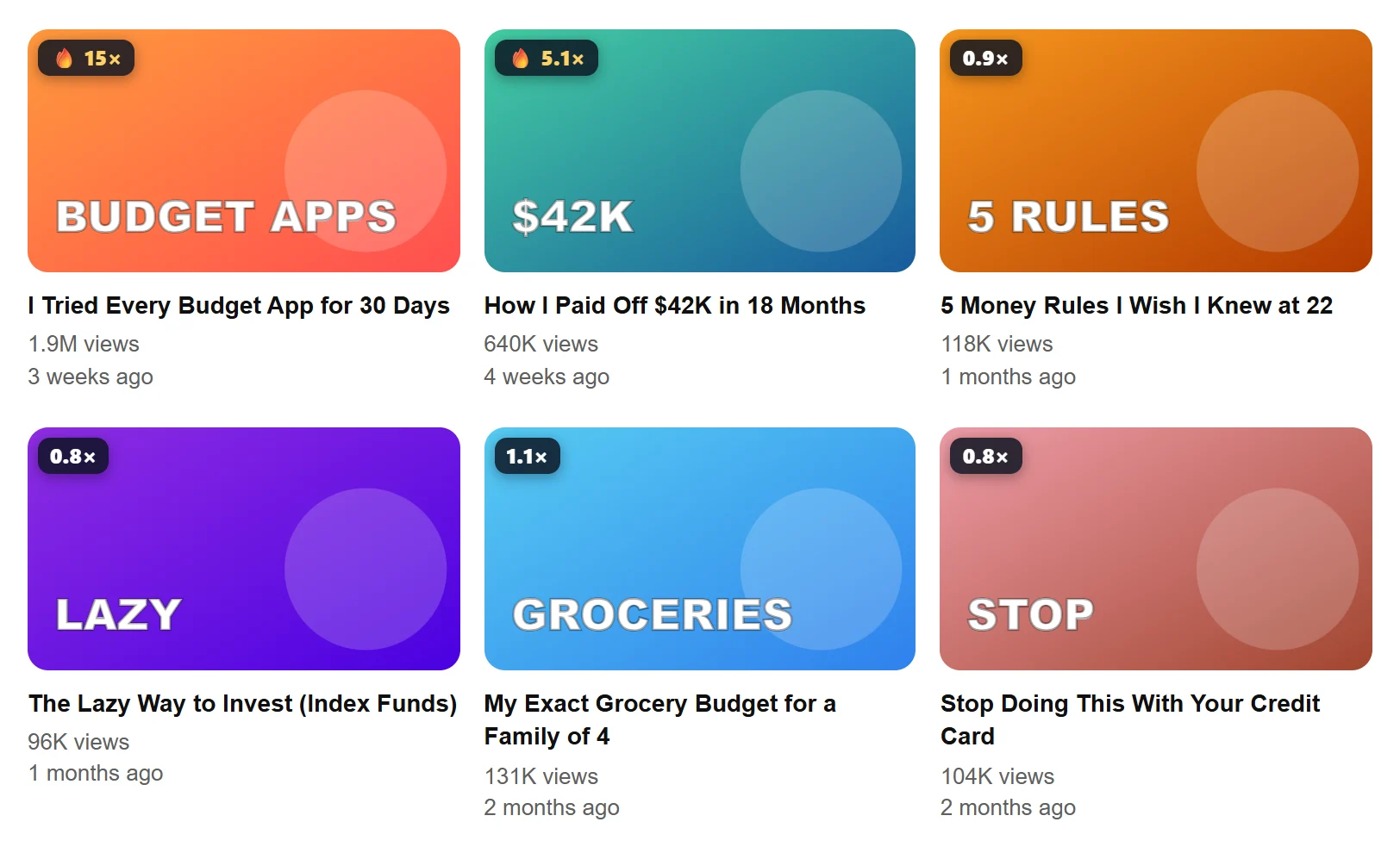
Every thumbnail gets a score: its views against the channel’s own median. A 15× video beat that channel’s normal fifteen times over — that’s an idea worth studying, whatever the channel’s size. It works on channel pages, the home feed, search results and Up next.

Add to Chrome — it’s free
YouTube channel videos with EarnedPost outlier scores on the thumbnails: 15×, 5.1×, 0.9×
Six platforms

One extension for every feed you study.

YouTube outlier score on every video

  • A score on every thumbnail: views vs the channel’s own median
  • Views per day, like rate and a dislike estimate
  • Earnings estimate, tags you can copy, exact publish time
  • Channel breakdown: median views, upload rhythm, best uploads

TikTok stats as you scroll

  • Plays, likes, saves and shares on the video in front of you
  • How it compares with the creator’s average
  • Profile grids ranked, pinned videos left out

Instagram Reels and post stats

  • Every Reel on a profile ranked by plays vs the usual
  • Engagement rate against accounts of the same size
  • Caption and hashtag check

Exact LinkedIn post dates

  • The real date and time on every post, not “2w”
  • Anyone’s posts ranked against their median reactions
  • Best day, posting rhythm and hook-length check

X (Twitter) post analytics

  • Views, likes, reposts, replies and bookmarks per post
  • Engagement per view and the exact post time
  • A profile’s top posts vs their median views

Facebook Page and Reels stats

  • Reels ranked by plays against the Page’s median
  • Timeline posts ranked by reactions
  • Followers and reach per follower
In the page

The panel, next to what you’re watching.

It sits in the page’s sidebar or folds to a single line with the score, follows the site’s light or dark theme, and never covers the video.

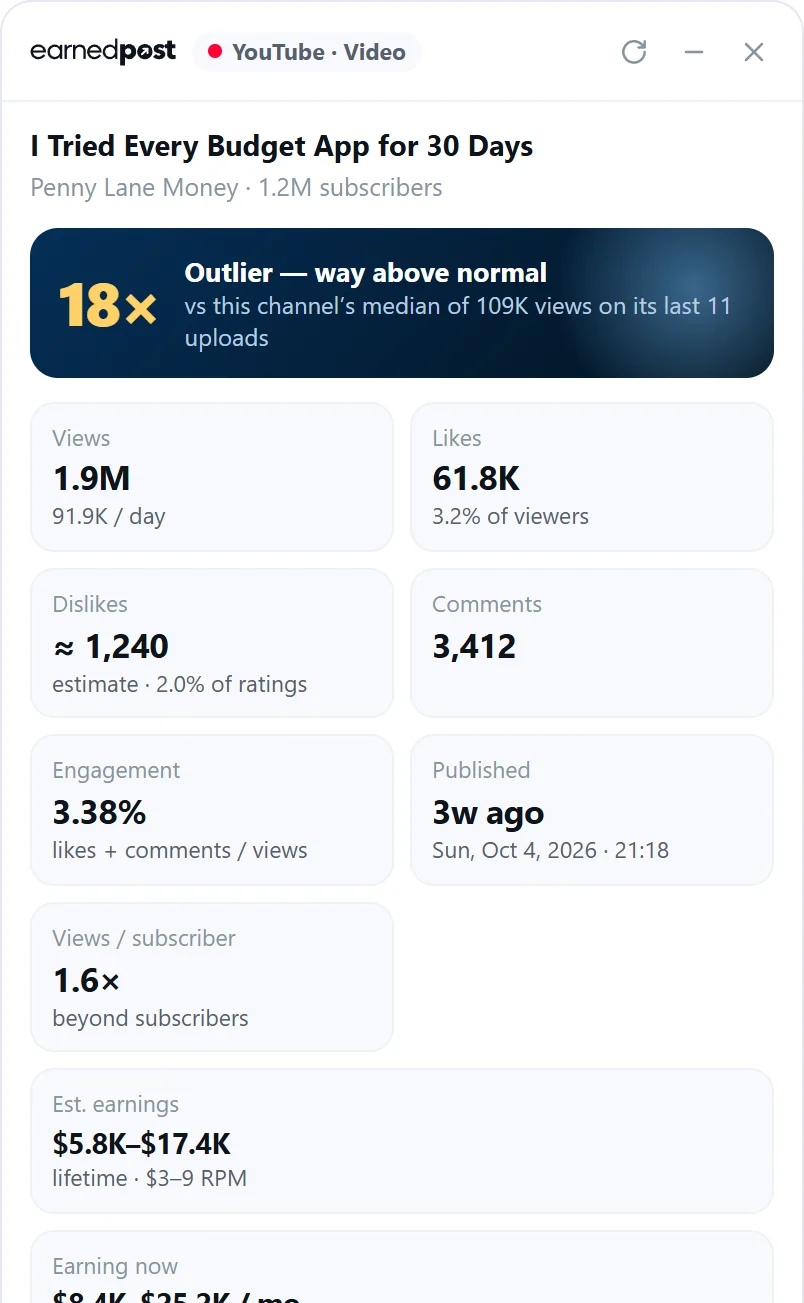
The EarnedPost panel on a YouTube video: an 18× outlier score, views, likes, dislike estimate and earnings
A YouTube video at 18× its channel’s usual
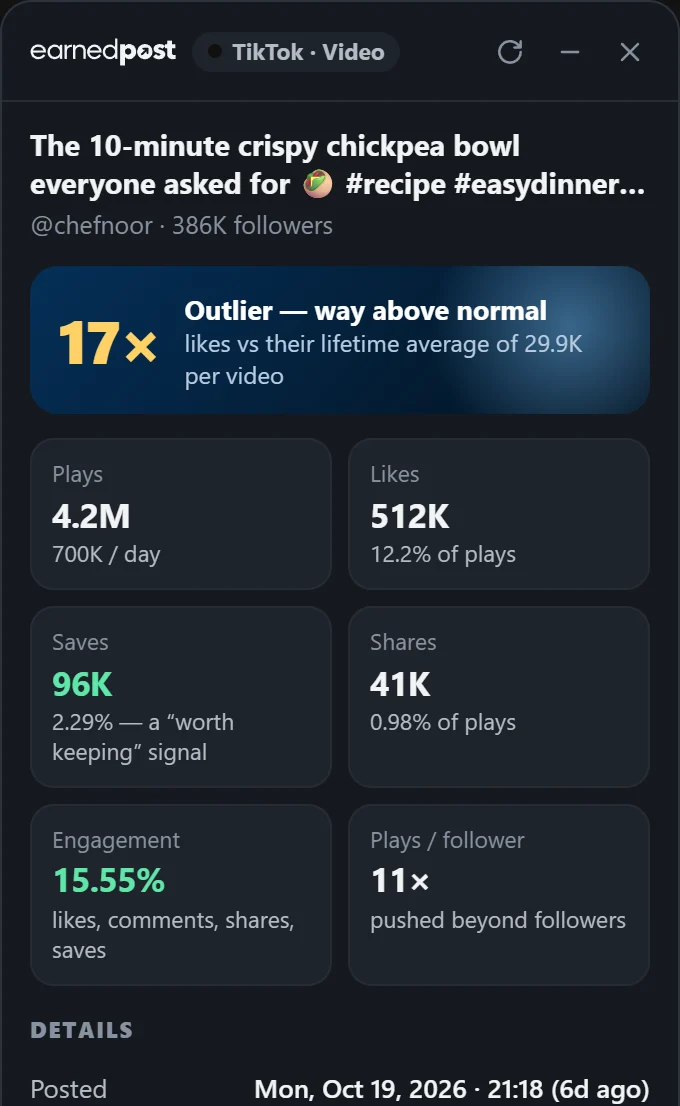
The EarnedPost panel on a TikTok video: plays, likes, saves, shares and engagement
A TikTok video’s real numbers
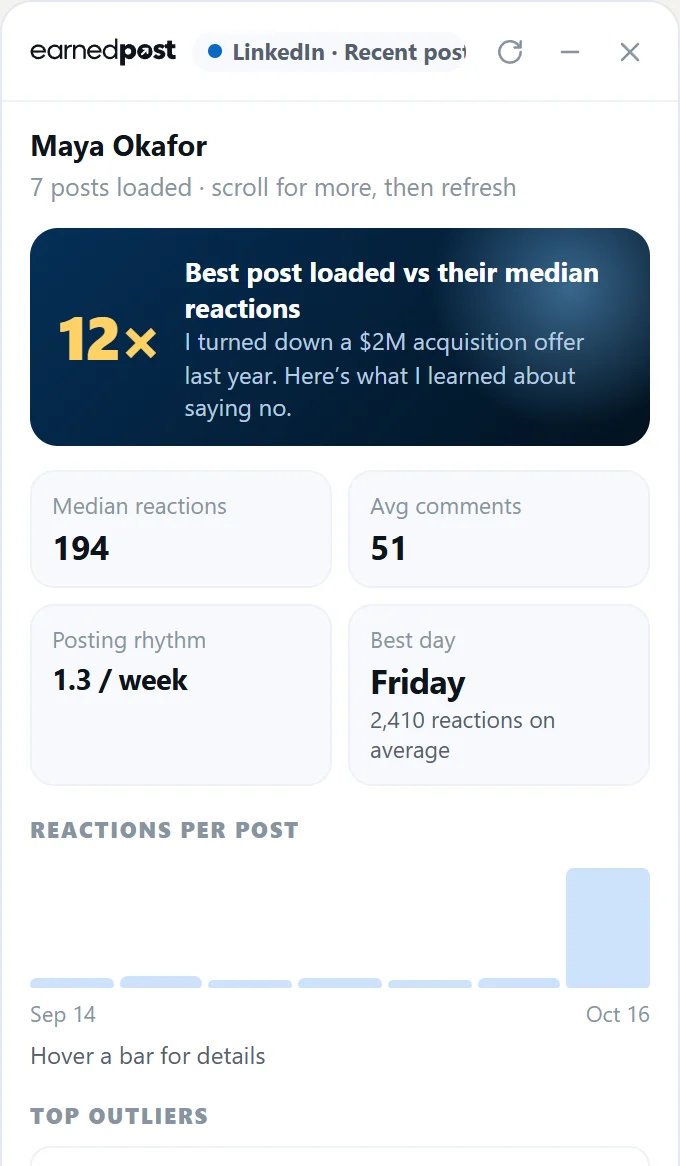
The EarnedPost panel on a LinkedIn profile’s activity: median reactions, best day and top posts
Someone’s best LinkedIn posts
How it works

Install, browse, find the winners.

  1. 01Add it to ChromeOne click from the Chrome Web Store. It works straight away, no account needed.
  2. 02Browse as usualOpen YouTube, TikTok, Instagram, LinkedIn or X. Scores and stats appear on the page as you scroll.
  3. 03Save and remixSave an outlier to your Viral Library, then turn it into titles, a thumbnail or a post in EarnedPost’s AI Studio.
Free and with a plan

Free on every post. More with EarnedPost.

What you getFreeWith a plan
Views, likes, comments and engagement of the post you’re viewing
Its outlier score and exact post time
YouTube dislike estimate, LinkedIn exact dates
Outlier scores on every thumbnail and post
Profile and channel breakdowns, top outliers, best day
Earnings estimates, tags and post checks
Save to your Viral Library, remix in AI Studio

Plans start with a 7-day free trial, no card. See pricing

Private by design

The extension runs on YouTube, TikTok, Instagram, LinkedIn, X and Facebook only. It reads the public numbers of the posts on your screen and works out the stats in your browser. It never reads your messages, passwords, form fields or any other website, and it never posts, likes, follows or scrolls for you.

Without an account, nothing leaves your browser except a YouTube video’s ID, to fetch its dislike estimate (you can turn that off). With a plan, the posts you save — and, if “Share outliers” is on, the public numbers of posts you scroll past — go to your EarnedPost library. Every detail is in the privacy policy.

FAQ

Good to know.

What is an outlier score?

It’s how a video or post did compared with what that creator usually gets: its views (or plays, or reactions) divided by the median of their recent posts. A 10× outlier did ten times their normal, which usually means the idea, title or thumbnail worked, not just the size of the audience.

Is the EarnedPost extension free?

Yes. Free, you get the numbers, exact time and outlier score of the video or post you’re viewing, on every platform. An EarnedPost plan adds scores on every thumbnail and post, profile breakdowns, earnings, tags and one-click saving to your Viral Library. New accounts can try the plan free for 7 days, no card.

Does it show YouTube dislikes?

YouTube stopped showing dislike counts in 2021, so no tool can read the real number. The extension shows an estimate from Return YouTube Dislike, based on votes from its own users, and labels it as an estimate. You can turn it off in the extension’s settings.

How do I see the exact date of a LinkedIn post?

LinkedIn only shows “2d” or “3w”. Every LinkedIn post ID contains its creation time, so the extension decodes it and adds the exact date and time to each post in your feed and on profiles, in your time zone.

How is it different from vidIQ or TubeBuddy?

Those focus on YouTube SEO for your own channel. EarnedPost’s extension is for research across YouTube, TikTok, Instagram, LinkedIn and X: it shows which videos and posts beat their creator’s usual, so you can find ideas that are working right now, then turn them into titles, thumbnails and posts in EarnedPost.

Does it work in Edge, Brave or Arc?

Yes. It’s a standard Chrome extension, so it works in any Chromium browser that installs from the Chrome Web Store, including Microsoft Edge, Brave, Arc, Opera and Vivaldi.

Does it post or change anything on my accounts?

No. It only reads the public numbers on the page you’re viewing and draws its panel and badges next to them. It never likes, follows, comments, scrolls or posts for you.

What data does it collect?

It reads public numbers on YouTube, TikTok, Instagram, LinkedIn, X and Facebook only — never messages, passwords or other websites. Without an account nothing is sent anywhere except a YouTube video’s ID for the dislike estimate. On a paid plan, posts you save, and (if “Share outliers” is on) the public numbers of posts you scroll past, go to EarnedPost’s Viral Library. The privacy policy has every detail.
Your next viral post starts here.

Connect your accounts in two minutes and post everywhere today.

6 platforms · 2 months free on yearly · Cancel anytime